
Table of Contents
ToggleTable of Contents
Are you tired of crazy cable bills? Want to give IPTV a shot? Well, that is a great call. Buying an IPTV subscription may initially look confusing, but the whole thing is pretty straightforward once you know what you’re doing.
Also Read: Which is The Best IPTV Package USA For 2025?
What is IPTV?
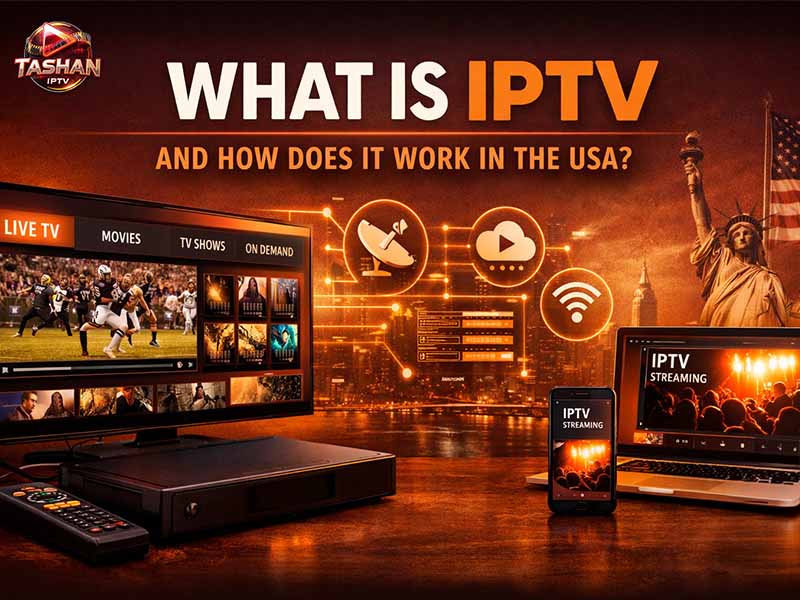
Before we get into how to buy IPTV subscription, let us first understand IPTV. It stands for Internet Protocol Television. It simply means television that you watch over your internet connection instead of through traditional cable or satellite.
Think of it as Netflix for live TV channels-you get movies, news, international channels-over the internet. And no clunky cable box is required.
Why are People Switching to IPTV?
Here’s the thing: traditional cable is expensive. You pay $100+ every month for channels you don’t even watch.
With IPTV, you can have more channels at much cheaper rates. We are talking about thousands of different channels across the world, on-demand programs, and the flexibility to watch on any device.
And you can watch it anywhere. Traveling? Just log in with your phone or laptop. That’s it!
Things to Know Before You Buy IPTV Subscription
Before handing over that credit card, here are some things worth knowing.
Not all services offering IPTV are the same. Some are perfectly legitimate streaming services, while others fall into more of a gray area in terms of their legality. Do your homework on any provider being considered.
The speed of your Internet is important. First of all, you will be needing good enough internet: at least 25 Mbps for HD streaming and more than 50 in cases where many will stream simultaneously.
Free trials are essential. Any decent IPTV Service USA would provide a trial period. Never subscribe without testing it out.
Also Read:How Can You Contact IPTV Customer Care for Quick Help?
How and Where Can I Buy IPTV Subscription? A Step-by-Step Guide
Now, let us explain the process in detail:
1. Decide what you really need
First of all, you need to ask yourself what you really want to watch, be it mainly news, international channels from your home country, or movies and TV series.
Different providers specialize in different content. Some are heavy on movies and limited in their international options, while others are vice-versa.
Write down a list; it will help you narrow the selections.
Step 2: Research IPTV Providers
Wondering where I can buy an IPTV subscription? That’s where most people get overwhelmed, mainly because there are literally tons of IPTV services out there.
Look for providers with good reviews from real users. Check out forums and any other independent review sites. Avoid those with dozens of complaints about buffering, poor customer service, or sudden shutdowns.
Among the many well-established ones, you can find IPTV Tashan as a renowned name in the IPTV market. It is just important that you get a provider that has stood the test of time and whose customer feedback is strong.
Step 3: Check for Device Compatibility
What people tend to forget most is to ensure that the IPTV service supports your devices.
Most services operate on:
- Smart TVs: Samsung, LG, Android TV
- Smartphones and tablets
- Computers
- Tablets
Note that not all services support all devices; therefore, you should check before buying.
Step 4: Begin with a test or minimal subscription
Never, under any circumstances, pay for a year’s subscription up front.
Take the free trial if possible. Even paid trials too cost a few bucks for 24-48 hours. In these hours, try it all: see whether your favorite channels work or not, test the streaming quality, and check on the reliability of the service at peak hours.
If there is no trial, purchase the shortest subscription possible which is usually of a month.
Step 5: Check the provider’s website
From here, after the selection of any service, their websites will have to be visited. Be careful here because some of these scam websites pose as providers.
Look for:
- Safe payment methods
- Contact information which is loud and clear.
- Professional website design
- Actual customer support options
In this case, if you try to purchase any IPTV subscription USA, for example, make sure that the provider explicitly serves your region with good server coverage across North America.
Step 6: Choose Your Subscription Plan
- Most providers have different tiers:
- Monthly plans: usually $10-20
- Quarterly plans, usually at a small discount.
- Annual plans (biggest savings)
Choose the one that suits your experience with the trial. If all went well, then go for a longer plan; it is cheaper that way. Yet to be convinced? Keep to a monthly subscription.
Step 7: Make the Payment
Different IPTV service providers support different means of payments. Some include:
- Credit/debit cards
- PayPal
- Net Banking
- Cryptocurrency
For the best buy IPTV subscription plan, pay with a payment method that offers you some kind of buyer protection. Major credit cards and payment services, like PayPal, are safer bets in case something goes wrong than cryptocurrencies.
Step 8: Get your login information
Login credentials are sent out via email once a payment is made. In most instances this will include:
- Username
- Password
- Server URL or M3U playlist link
- Setup instructions
Save these in a safe place; you will need them to configure the service on your devices.
Step 9: Installation on the device
Setups also differ from one device to another but are relatively simple.
Android: You can now install any IPTV application you prefer, add your login credentials, and you’re good to go.
Smart TVs: You can download your provider’s app on your smart TV from the app store, or you may install the generic IPTV player and add your details.
Computers: Access the link in the media player, like VLC, to open your M3U playlist.
Most service providers have set-up guides for most types of devices.
Step 10: Test Everything Thoroughly
Spending your first day really testing the service.
Change channels. See it at different hours of the day. Test on all your devices. Check whether EPG is working right. Do you notice any kind of problem? Do not wait and call customer support right away. Good providers are going to troubleshoot with you, giving refunds if the service isn’t working the way that it should.
Also Read: Tashan IPTV USA – Best Indian Channels Streaming in HD Quality
What is a Best Buy IPTV Subscription?
There are a few things people look for in the best IPTV subscription. Variety of channels is huge: you want a good mix of both local and international channels, not just filler content nobody watches.
Above all, it’s about reliability. What’s the point in saving money if your service buffers during the big game? Thirdly, customer support can save your headaches. When something goes wrong at 9 PM on a Saturday, you want someone to actually respond.
Regular updates show that the provider is maintaining their service. Channels change, streams go down – good providers fix these issues quickly.
Red Flags to Watch Out for
Some warning signs that an IPTV service provider might be shady:
- The price is too good to be true. When someone offers 10,000 channels for $5 a month, something is off.
- No trial period, no money-back guarantee. Serious providers back their service.
- Terrible customer reviews about sudden shutdowns or lack of support. Only aggressive salesmen or suspicious means of payment.
Tips for the Best IPTV Experience
- Want to get the most out of your subscription? Use a VPN. This adds privacy and may sometimes improve streaming performance by avoiding ISP throttling.
- Get a good streaming device; an older smart TV may lag. Generally, the latest Android TV or any similar device will work better.
- Keep your internet speed up: If you are experiencing buffering issues, then it is probably because of your internet and not the IPTV service.
- Organize your channels. Most IPTV applications will allow adding channels to favorites. Take 10 minutes to set this up, and you’ll save time each and every day.
- Choosing the Right Course Well, there isn’t a single best IPTV service provider for everyone, as it totally depends on what you want to watch, where you live, and what devices you have. The good news: once you find the right service, you’re going to wonder why you didn’t switch sooner.
- More channels, lower cost, better flexibility-it’s a pretty good deal. Just take your time when researching it, test before committing, and don’t be afraid to switch if the first choice does not work.
Buy IPTV Subscription USA
Tashan IPTV offers the most affordable IPTV subscription plans in the United States. Our IPTV app boasts of a user-friendly interface that is easy to use even for the elderly. IPTV Tashan offers over 15,000 live channels, 500,000 on-demand content, 24/7 customer support, and a 24-hour free trial. You can test the service fully before committing.
Frequently Asked Questions
Is buying an IPTV Subscription Legal?
It depends on the provider and where you are. Some IPTV services, which have licenses for their content, are indeed legal. Services which stream copyrighted content without permission fall into a legally gray area, or even operate fully illegally. Research your specific provider and local laws before subscribing.
How Much Does an IPTV Subscription Typically Cost?
Most IPTV subscriptions will run from $10 to $25 per month. Many offer further discounts with longer-term commitments. Be wary of very low-cost offers as they can be scams. Remember that quality comes with a price.
Can I Use one IPTV Subscription on Several Devices?
That depends upon the provider, but some allow 1-2 simultaneous connections while others offer up to 3-5 connections on their premium plans. If you plan on sharing with family or watching on multiple devices at once, check the terms before buying.
What Internet Speed Will I Need for IPTV?
You will need 5-10 Mbps for SD, while HD requires 25 Mbps or higher. If you want 4K or multiple people streaming simultaneously, you want 50-100 Mbps. These are minimum, so a little more speed ensures smoother streaming.
What Happens If My IPTV Stops Working?
First of all, contact customer support; maybe there is a simple fix. Check out troubleshooting videos or tutorials on their website.
Does using IPTV require any special equipment?
Not really. Just about any smart TV, streaming device, smartphone, tablet, or computer will get you started. You’ll need to download an IPTV application, but those are normally free of cost. The only “special” equipment worth considering is perhaps a VPN for added privacy and, possibly, better performance.